







Connecting with friends or business partners in Croatia should be simple. Yet, international dialing rules often create confusion for UK callers. You might struggle with country codes or variable costs.
Many UK residents maintain strong ties with this Adriatic nation. You may need to confirm a hotel booking in Dubrovnik. Perhaps you are managing a remote team in Zagreb. Getting the number format right is vital for these connections. For broader travel advice, resources like the Foreign Travel Advice page offer great safety tips.
This guide breaks down the exact steps to call Croatia from the UK. We will cover landline methods and mobile shortcuts. You will also learn about cost-saving tools like Telfon. Let’s ensure your next call connects instantly.
The Components of an International Call
Every international call follows a strict logical order. You cannot simply dial the local number you see on a website. The telephone network needs specific instructions to route your call across borders.
You must provide a map for the signal. This map consists of three distinct parts. First, you need an exit code to leave the UK system. Second, you need a destination code for Croatia. Finally, you need the specific subscriber number.
Missing any single digit will cause the call to fail. It often leads to a “number not recognized” error message. Understanding these components saves you time and frustration. Let’s look at the specific code for Croatia.
What is the Croatia Country Code?
The most important number to remember is the country code. This unique identifier tells the system to route the call to Croatia.
The Croatia Country Code is: 385
You will use this code for every single call from the UK. It applies to both landlines and mobile phones. It also applies whether you call a business or a personal number.
Memorizing this code is the first step to successful dialing. Without the 385 prefix, your call stays within the UK network. This usually results in a wrong number or a dead line.
How to Call Croatia from a UK Landline
Calling from a traditional home phone or office landline requires a specific exit code. This signals your provider that you are dialing internationally.
The process is standardized across all UK landline providers. This includes BT, Virgin Media, and TalkTalk.
Follow these exact steps:
- Dial the Exit Code: Enter 00 on your keypad.
- Enter the Country Code: Dial 385 immediately after.
- Add the Area Code: Enter the city code (without the initial 0).
- Dial the Local Number: Finish with the subscriber’s phone number.
The formula looks like this:
00 – 385 – [Area Code] – [Local Number]
Example Scenario:
You need to call a hotel in Zagreb. Their local number is listed as 01 555 1234.
You would dial: 00 385 1 555 1234.
Notice that we removed the first ‘0’ from the area code. We will explain this rule in more detail later.
How to Call Croatia from a UK Mobile Phone
Mobile phones offer a more convenient way to dial internationally. Modern smartphones use a universal standard for exit codes.
You do not need to remember the ’00’ prefix. The GSM network recognizes the plus (+) symbol as a global exit code.
Follow these steps for mobile dialing:
- Enter the Plus Sign: Press and hold the 0 key until a + appears.
- Add the Country Code: Type 385 next to the plus sign.
- Enter the Mobile or Area Code: Input the prefix (drop the leading 0).
- Finish with the Number: Enter the remaining subscriber digits.
The mobile formula looks like this:
+385 – [Area Code/Mobile Prefix] – [Local Number]
Example Scenario:
You are calling a friend’s mobile in Split. Their number is 091 234 5678.
You would dial: +385 91 234 5678.
This method works regardless of which country you are currently in. It is the safest way to store numbers in your contacts list.
Essential Croatian Area Codes
Croatia divides its landlines by geographic regions. You need the correct area code to reach a specific city.
These codes are essential for connecting to landlines. However, they are not used for mobile phones. Mobile numbers have their own specific prefixes.
Here are the codes for major Croatian cities:
| City | Area Code (International) |
|---|---|
| Zagreb | 1 |
| Split | 21 |
| Dubrovnik | 20 |
| Rijeka | 51 |
| Zadar | 23 |
| Osijek | 31 |
| Pula | 52 |
| Šibenik | 22 |
| Varaždin | 42 |
Always verify the city before dialing. A wrong area code directs your call to a different part of the country. This table serves as a quick reference guide.
Understanding the “Drop the Zero” Rule
The most common mistake people make is keeping the leading zero. This is the “trunk prefix” used for domestic calls within Croatia.
When you call from the UK, you must remove this digit. The international country code replaces the need for the domestic trunk prefix.
Key Rule:
If a number starts with 0, drop it.
- Domestic Format: 01 234 567 (What locals dial)
- International Format: +385 1 234 567 (What you dial)
This rule applies to both landlines and mobile numbers. Croatian mobile prefixes usually start with 09 (e.g., 091, 098). You must dial +385 91… and exclude the zero. Failing to do this prevents the connection.
Best Times to Call Croatia
Timing your call shows respect for the recipient. Croatia is in the Central European Time (CET) zone.
The Time Difference:
Croatia is generally 1 hour ahead of the UK.
- UK Time: 1:00 PM
- Croatia Time: 2:00 PM
This small difference makes scheduling easy. Business hours usually align well. However, you should still be mindful of lunch hours or late evenings.
Recommended Calling Slots:
- Business: 08:00 to 16:00 (UK Time).
- Personal: 17:00 to 20:00 (UK Time).
Avoid calling during major Croatian holidays. Always check your calendar before making a professional inquiry.
The Hidden Costs of Calling Croatia
International calls through traditional carriers can be expensive. Rates vary significantly between providers like EE, Vodafone, or BT.
Standard networks often charge a high price per minute. This rate can exceed £1.50 depending on your plan.
Factors that increase your bill:
- Connection Fees: A flat fee just to start the call.
- Mobile vs. Landline: Calling a mobile in Croatia often costs more.
- Roaming Charges: Using your UK SIM while traveling adds up.
Some providers offer “international add-ons.” These can lower the cost slightly. However, they often require a monthly commitment.
There is a smarter way to manage these expenses. Modern VoIP technology offers a cheaper alternative.
Why Use Telfon for Calls to Croatia?
Telfon transforms how you communicate internationally. It is a cloud telephony solution designed for both individuals and businesses.
It bypasses expensive traditional phone lines. Instead, it uses the internet to route high-quality calls. This results in massive savings.
Key Benefits of Telfon:
- Cost Efficiency: Save up to 50% compared to standard carriers.
- Global Reach: Connect to over 100 countries, including Croatia.
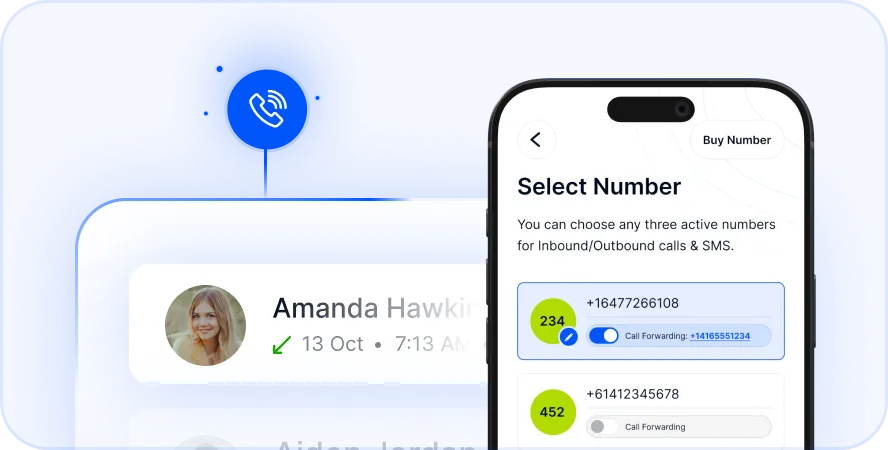
- Virtual Numbers: Buy a Croatian number while living in the UK.
- Pay-As-You-Go: No rigid contracts or hidden fees.
For Business Users:
Telfon is not just for casual chats. It supports over 600 companies globally. It offers tools like call recording and analytics.
For Individuals:
It is perfect for keeping in touch with family. The audio quality is crystal clear. You also avoid the shock of unexpected bills.
Setting Up Telfon: A Quick Guide
Getting started with Telfon takes only a few minutes. You do not need complex hardware. Your current smartphone or computer is enough.
Step 1: Download the App
Find Telfon on the Google Play Store or Apple App Store. It is also available as a Chrome extension.
Step 2: Create an Account
Sign up using your email. The interface is user-friendly and intuitive.
Step 3: Add Credit
Choose a pay-as-you-go plan. This ensures you only pay for what you use.
Step 4: Dial Croatia
Use the in-app dialer. Enter the number in international format (+385…).
Step 5: Optional – Get a Virtual Number
You can purchase a +385 virtual number. This allows Croatian contacts to call you at local rates.
This setup empowers you to communicate freely. It removes geographical barriers instantly.
Advanced Features for Business Growth
If you run a business, Telfon offers powerful tools. These features help you manage international clients effectively.
Review conversations for quality assurance. This is vital for sales teams or customer support.
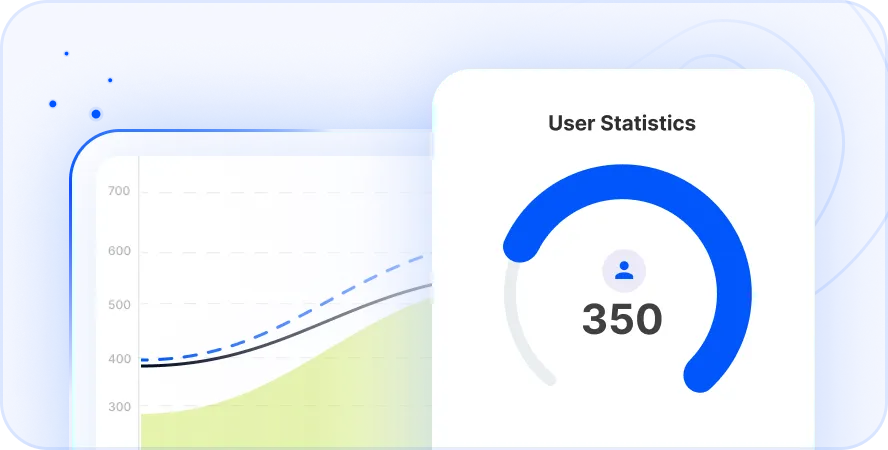
User Analytics:
Track call duration and costs. Visual graphs help you manage your budget.
Send updates to your Croatian client base instantly. This improves marketing reach and engagement.
Using these tools gives you a competitive edge. It creates a professional image for your brand.
Troubleshooting Common Connection Issues
Sometimes calls fail despite your best efforts. Here is how to fix common problems.
Check the Format:
Did you drop the leading zero? This is the number one cause of failed calls.
Verify Credits:
Ensure your mobile plan or Telfon account has funds. International calls can deplete prepaid balances quickly.
Network Restrictions:
Some office lines block international dialing. Check with your IT administrator if dialing from work.
Signal Strength:
VoIP calls require a stable internet connection. Switch from 4G to Wi-Fi if the audio is choppy.
Following these checks solves most connectivity issues.
Claim Your Croatian Virtual Number Now
Key Takeaways
Calling Croatia involves a few specific rules. Mastering them ensures you stay connected without stress.
- Code: Always use +385 or 00385.
- Format: Remove the leading 0 from the area code.
- Time: Croatia is 1 hour ahead of the UK.
- Method: Mobile dialing with + is the easiest method.
- Cost: Traditional carriers are expensive.
- Solution: Telfon offers a cheaper, feature-rich alternative.
- Business: Use virtual numbers to establish a local presence.
You are now ready to make that call. Whether it is for a holiday plan or a business deal, the process is clear.
Frequently Asked Questions (FAQs)
How do I call a Croatian mobile from the UK?
Dial the international code +385. Then enter the mobile prefix without the leading zero (e.g., 91). Finally, dial the subscriber number.
Is it expensive to call Croatia from the UK?
It can be costly with standard providers like EE or O2. Rates often exceed £1 per minute. Using a VoIP app like Telfon significantly reduces these costs.
What is the time difference between the UK and Croatia?
Croatia is in the Central European Time zone. It is strictly one hour ahead of the UK. This applies all year round.
Can I send text messages to Croatia?
Yes. You can send standard SMS using the +385 format. Alternatively, apps like Telfon allow you to send SMS messages over the internet.
Do I need a specific plan to call internationally?
Most mobile carriers require you to enable international dialing. However, apps like Telfon work immediately over Wi-Fi without changing your SIM plan.
What is the dialing code for Split?
The area code for Split is 21. When calling from the UK, dial +385 21 followed by the local number.
Why is my call to Croatia not connecting?
The most common reason is keeping the ‘0’ at the start of the area code. Remove it and try again. Also, check your credit balance.
Can I get a Croatian phone number while living in the UK?
Yes. Telfon allows you to purchase a virtual Croatian number. You can receive calls on this number via the app anywhere in the world.