






Maintaining strong connections between Australia and Indonesia is vital for many people. You might have family in Bali or business partners in Jakarta. Distance shouldn’t be a barrier to clear communication. However, international dialing rules can seem confusing at first. You need to know the right codes and formats. Furthermore, understanding the costs involved is crucial for your budget.
Traditional phone carriers often charge high rates for these cross-border calls. Fortunately, modern technology offers better ways to stay in touch. You can now call affordable and easily using the right tools. For current travel alerts and safety advice, always check Smartraveller before planning your trip. This guide helps you master the dialing process and save money.
The Basics: Dialing Codes and Formats
Understanding the components of an international number is the first step. You cannot simply dial a local number from Australia. The network needs specific signals to route your call overseas. Therefore, you must use a standard sequence. This sequence tells the system you are calling Indonesia specifically.
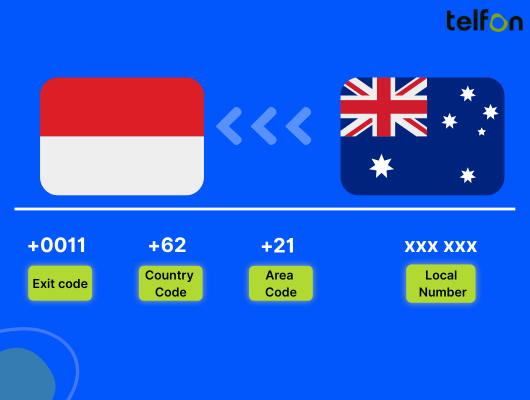
There are three main parts to the dialing string. First is the exit code. Second is the country code. Third is the subscriber number. Getting this order right ensures your call connects immediately.
How to Call an Indonesian Landline
Landlines connect to specific physical locations. Consequently, they require area codes. You must know the city you are calling.
Follow these specific steps for a successful connection:
- Dial 0011: This is the Australian exit code. It allows you to dial out of the country.
- Dial 62: This is the unique country code for Indonesia.
- Dial the Area Code: Enter the city code (e.g., 21 for Jakarta). Important: Remove the leading zero ‘0’ from the area code.
- Dial the Local Number: Enter the remaining digits of the phone number.
Example:
If the Jakarta number is (021) 5555 1234:
You dial: 0011 62 21 5555 1234.
How to Call an Indonesian Mobile Phone
Mobile phones are the most common way to communicate today. The process for mobiles is slightly more streamlined. You do not need an area code for mobile numbers. Indonesian mobile numbers are routed nationally.
Here is the simplified method for mobiles:
- Dial +: Press and hold ‘0’ on your smartphone until the plus sign appears. This replaces the ‘0011’ exit code.
- Dial 62: Enter the Indonesian country code.
- Dial the Mobile Number: Enter the full mobile number.
- Remove the Zero: You must drop the first ‘0’ of the mobile number.
Example:
If the mobile number is 0812 3456 7890:
You dial: +62 812 3456 7890.
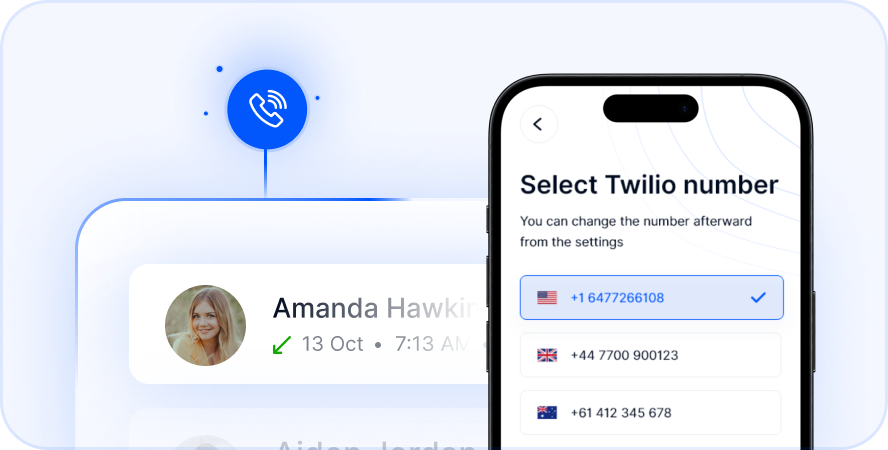
Select Number
Navigating Indonesian Area Codes
Indonesia is a vast archipelago with many distinct regions. Each major city or region has a specific area code for landlines. If you dial the wrong area code, you will not reach your contact. Therefore, verifying the location of your contact is essential.
You only need these codes for fixed lines. Mobile numbers do not use them. Knowing these codes helps you identify where a call is coming from.
List of Major City Codes
Here are the codes for the most frequently called cities. Keep this reference handy for your business or personal calls.
| City / Region | Area Code |
|---|---|
| Jakarta | 21 |
| Bandung | 22 |
| Surabaya | 31 |
| Medan | 61 |
| Bali (Denpasar) | 361 |
| Yogyakarta | 274 |
| Makassar | 411 |
| Lombok (Mataram) | 370 |
Remember to always drop the leading ‘0’ when dialing internationally. For instance, dialing 0361 from Australia will result in an error. You must dial 62 followed by 361.
Mastering Time Zones for Better Connection
Timing is everything when making an international call. Calling at the wrong hour can wake someone up or miss business hours. Indonesia spans three different time zones. Australia also has multiple time zones. Additionally, parts of Australia observe Daylight Saving Time (DST).
This complexity requires careful planning. You should always check the current time in both locations before dialing.
Understanding Indonesian Time Zones
Indonesia does not observe Daylight Saving Time. Their time zones remain constant throughout the year.
- WIB (Western Indonesia Time): GMT+7. This covers Jakarta, Sumatra, and West Java. It is the main business time zone.
- WITA (Central Indonesia Time): GMT+8. This includes Bali, Sulawesi, and Lombok. This is popular for tourism.
- WIT (Eastern Indonesia Time): GMT+9. This covers Papua and Maluku.
Coordinating with Australian Time
Australia is generally ahead of Indonesia in time. However, the difference changes based on your location and the season.
- Sydney/Melbourne (AEST): Usually 3 hours ahead of Jakarta (WIB). During DST, this gap increases to 4 hours.
- Perth (AWST): Perth is often 1 hour ahead of Jakarta. Perth is in the same time zone as Bali (WITA).
Practical Tip:
If you are in Sydney calling a business in Jakarta, call after 1 PM Sydney time. This ensures it is past 10 AM in Jakarta. Calling too early in the Australian morning means calling before Indonesian offices open.
Cost Comparison: Carriers vs. VoIP
The cost of calling Indonesia can vary wildly. It depends entirely on the technology you use. Traditional carriers rely on old infrastructure. Consequently, they pass high maintenance costs on to you.
International calling rates with major Australian telcos can be shocking. You might pay heavily per minute.
The High Price of Traditional Calls
Many Australians unknowingly spend too much on international calls. Standard mobile plans often exclude international minutes. Rates can exceed $2.00 per minute with some providers.
A 30-minute business call could cost you $60 or more. This is unsustainable for regular communication. Prepaid cards offer lower rates but come with hidden fees. Connection charges can also apply.
The Voice over Internet Protocol (VoIP) Advantage
VoIP changes the game. It uses the internet to transmit your voice. This bypasses expensive satellite and cable networks.
The result is massive savings. You can save up to 50% or more compared to legacy carriers. The audio quality is often clearer as well. Modern internet speeds in Australia and Indonesia support High-Definition voice calls easily.
Why Telfon is the Smart Choice
Telfon is a leading virtual phone calling app designed for modern needs. It serves both individuals and growing businesses. The platform is currently used by over 30,000 users globally. Furthermore, 600+ companies rely on it for their daily operations.
It is more than just a calling app. It is a complete communication ecosystem. You get reliability, clarity, and affordability in one package.
Get a Virtual Indonesian Number
One of Telfon’s most powerful features is the virtual Indonesian number. You can purchase a local Indonesian number while living in Australia.
Why do this?
- Local Presence: Your Indonesian clients see a local number on their caller ID. This builds instant trust.
- Inbound Savings: Friends or family in Indonesia can call you at local rates. They don’t have to pay for an international call to Australia.
- Privacy: Keep your personal Australian mobile number private.
Powerful Features for Business
Telfon is built to support business growth. It offers tools that standard phones simply cannot match.
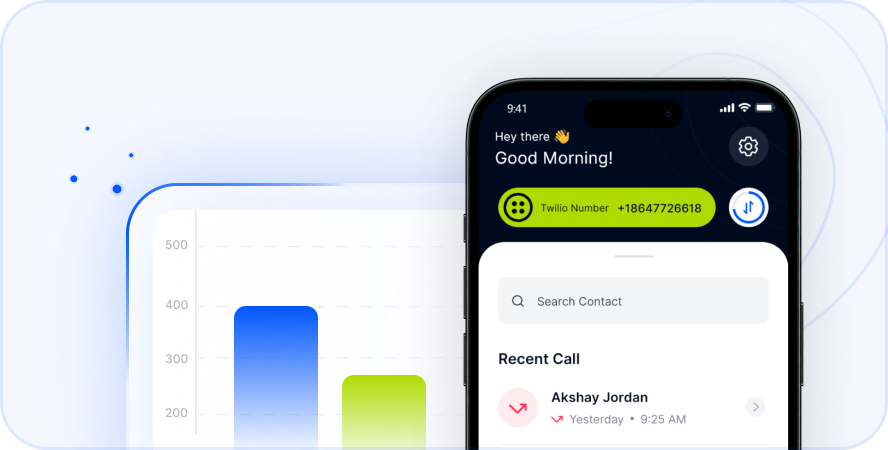
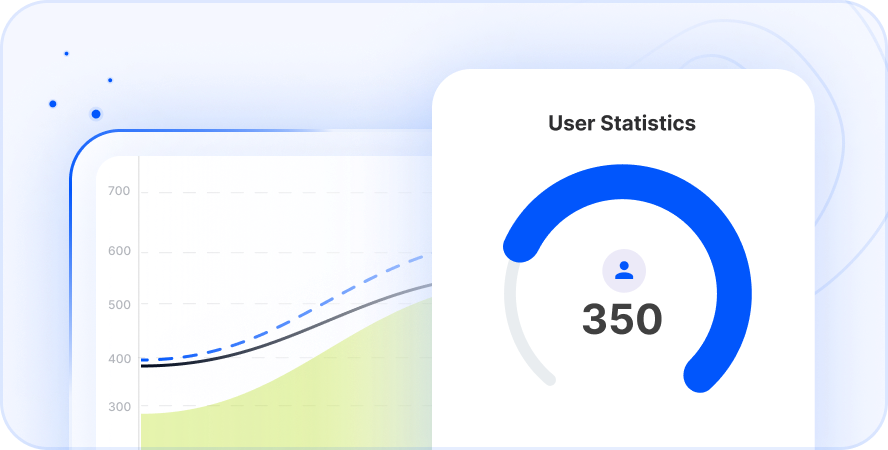
- User Analytics: View charts and graphs of your call history.
- Call Recording: Automatically record calls for training or compliance.
- CRM Integration: Manage your contacts effectively.
- Budget Management: Assign specific budgets to different employees.
- WhatsApp Management: Handle multiple WhatsApp accounts for customer support.
Features for Individuals
You don’t need a business to benefit. Telfon is perfect for keeping in touch with family.
- Pay-As-You-Go: No lock-in contracts. You only pay for what you use.
- Crystal Clear Audio: High-quality voice transmission.
- SMS Capabilities: Send and receive text messages easily.
- Voicemail to Text: Read your voicemails when you cannot listen to them.
Business Etiquette When Calling Indonesia
Successful communication goes beyond just dialing numbers. Understanding cultural norms is vital for business success. Indonesia has a unique business culture. Respecting this can strengthen your professional relationships.
Being culturally aware shows you care. It sets a positive tone for the conversation.
Proper Greetings and Tone
Indonesians value politeness and hierarchy. Start calls with a formal greeting. Use “Bapak” for men and “Ibu” for women before their name.
Avoid rushing straight into business. Spend a minute asking about their well-being. This “small talk” is essential for building rapport. It is not considered a waste of time in Indonesia.
Scheduling Your Calls
Avoid calling during prayer times if possible. Indonesia has a large Muslim population. Friday mid-day is typically reserved for prayers.
Also, be aware of “jam karet” (rubber time). Flexibility is sometimes required. However, as the caller, you should always be punctual.
Troubleshooting Common Connection Issues
Sometimes calls fail despite your best efforts. Technology can be unpredictable. However, most issues have simple solutions.
Diagnosing the problem quickly saves frustration. Here are common reasons why calls to Indonesia fail.
Check Your Format
The most common error is double dialing codes. Do not dial 0011 and + together. Use one or the other.
Also, ensure you removed the leading zero. Dialing +62 081… will fail. It must be +62 81….
Network and Account Settings
Ensure your Australian mobile plan allows international calls. Some prepaid plans block them by default. You may need to add “credit” specifically for international usage.
If using VoIP, check your internet stability. A weak Wi-Fi signal causes choppy audio. Switch to 4G/5G data if Wi-Fi is poor.
How to Get Started with Telfon
Switching to a modern solution is easy. You do not need technical hardware. You only need your smartphone or computer.
Follow these simple steps to start calling Indonesia for less:
- Download the App: Find Telfon on Google Play, the App Store, or the Chrome Web Store.
- Create an Account: Sign up in minutes.
- Add Credit: Choose a pay-as-you-go amount that suits you.
- Dial: Enter the number using the correct format (+62…) or select from your contacts.
- Optional: Purchase a virtual Indonesian number if you need inbound calls.
Start your trial today. Experience the difference in quality and cost.
EXPERIENCE STREAMLINED CALLING WITH OUR AUTO, PREDICTIVE, AND DYNAMIC DIALERS
Frequently Asked Questions (FAQs)
Q1: What is the country code for Indonesia?
The country code is 62. You must dial this after the exit code (0011) or the plus sign (+).
Q2: Do I need an area code for mobile numbers?
No. Indonesian mobile numbers do not use area codes. Dial +62 followed by the mobile number (dropping the first zero).
Q3: Can I keep my Australian number when using Telfon?
Yes. Telfon operates via an app. Your regular SIM card and Australian number remain active and unchanged.
Q4: How much does it cost to call Indonesia via Telfon?
Rates are significantly lower than traditional banks. Telfon operates on a pay-as-you-go model, often saving you up to 50% compared to standard carriers.
Q5: What is the time difference between Perth and Bali?
There is no time difference. Perth (AWST) and Bali (WITA) share the same GMT+8 time zone. This makes business coordination very easy.
Q6: Can I send SMS to Indonesia with Telfon?
Yes. You can send and receive international SMS. You can also send broadcast messages for marketing purposes.
Q7: Is an internet connection required?
Yes. Telfon uses VoIP technology. You need a stable Wi-Fi or mobile data connection (4G/5G) to make and receive calls.
Q8: Can I get an Indonesian phone number for my business?
Yes. You can purchase a virtual Indonesian number through the app. This allows clients in Indonesia to call you locally.
Q9: Does Telfon support WhatsApp integration?
Yes. Telfon offers WhatsApp integration. This is ideal for businesses managing multiple WhatsApp accounts for customer service.
Q10: How do I fix a failed call connection?
Check that you removed the leading ‘0’ from the Indonesian number. Also, ensure you have sufficient credit and a stable internet connection.
Calling Indonesia from Australia is simple when you know how. By understanding the codes and using the right technology, you save money. Telfon offers a superior, feature-rich experience for everyone.
Ready to connect? Download Telfon today and bridge the distance.