






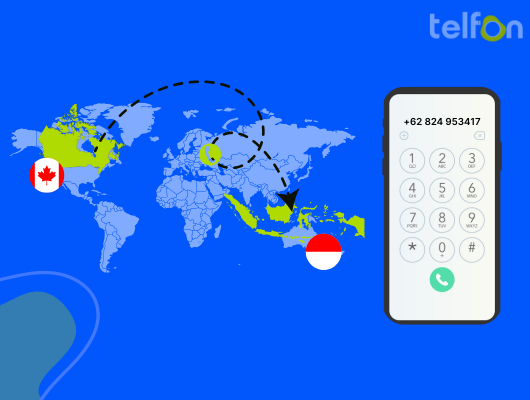
Connecting with business partners or friends across the ocean often feels complicated. You might worry about confusing codes or high costs. Calling Indonesia from Canada is actually simple when you know the steps. You just need the right format and a reliable service.
Before making international plans, always check Global Affairs Canada for current safety advice. This guide simplifies the dialing process for you. We cover landlines, mobile phones, and modern virtual options. You will learn to save money while staying connected.
Understanding International Dialing Basics
You cannot simply dial a local number to reach Indonesia. International calls rely on a specific string of digits. These numbers tell the network where to route your voice. Missing just one digit will cause the call to fail.
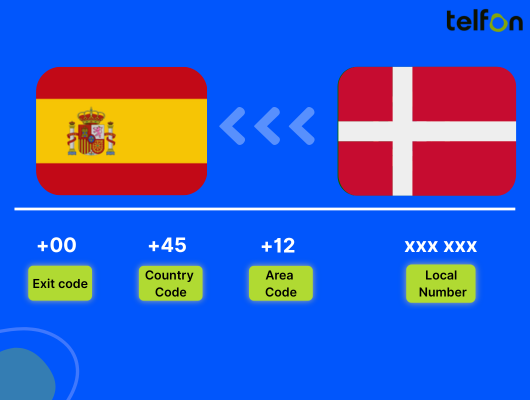
You need three main components for a successful connection. First, you need the Canadian exit code. Second, you need Indonesia’s unique country code. Finally, you need the recipient’s local number.
Let’s break these down so you get it right every time.
The Canadian Exit Code (011)
Every international call from a Canadian landline starts here. The exit code signals your carrier that you are calling outside North America. The specific code for Canada is 011. You must dial this first on traditional phones.
Mobile phones handle this differently. We will discuss that shortly. For now, remember that 011 is your key to leaving the Canadian network.
Indonesia’s Country Code (62)
The next step directs your call to the specific nation. Each country has a unique identifier. For Indonesia, this code is 62. You dial this immediately after the exit code.
This code applies to both landlines and mobile phones in Indonesia. It never changes regardless of the city you are calling.
The General Dialing Sequence
- 011 (Exit Code)
- 62 (Country Code)
- Area Code (If applicable)
- Local Number
This sequence ensures your call travels from Canada to Indonesia correctly. It then finds the specific region and finally the individual subscriber.
How to Call Indonesia from a Landline
Using a home phone requires the traditional dialing format. This method is reliable but often expensive. You must be precise with the numbers.
Follow these steps for a successful landline connection:
- Pick up the receiver and listen for the dial tone.
- Dial 011.
- Dial 62.
- Enter the Area Code (e.g., 21 for Jakarta).
- Dial the Local Phone Number.
A Practical Landline Example
Let’s assume you are calling a business in Jakarta. Their local number is listed as 1234 5678. The area code for Jakarta is 21.
You would dial: 011 62 21 1234 5678.
Wait for the ringing tone. Connection times might be longer than local calls.
Important Landline Considerations
Landline rates vary significantly between providers. Some carriers charge steep per-minute fees for international calls. Always check your plan before dialing.
Also, verify the number. If the number you have includes a leading zero, drop it. We will explain this rule in detail later.
Calling Indonesia from a Mobile Phone
Most people today use smartphones for international calls. Mobile dialing is generally easier than landline dialing. Technology has simplified the exit code process.
You do not need to dial 011 on a mobile device. Instead, you use the plus (+) sign.
The Plus Sign Method
- Open your phone’s dialer.
- Hold down the 0 key until a + appears.
- Dial 62 immediately after the plus sign.
- Enter the full phone number.
- Press the call button.
A Mobile Calling Example
Imagine you are calling a friend’s mobile number in Bali. Their number is 812 3456 7890.
You would dial: +62 812 3456 7890.
The network automatically recognizes the + as the international access code. This saves you from remembering the 011 prefix.
Why Mobile Numbers are Different
Indonesian mobile numbers rarely use area codes. They are treated as non-geographic numbers. You typically dial the country code followed by the mobile prefix.
This makes saving contacts easier. You can store numbers in the international format (+62…) permanently. They will work whether you are in Canada or traveling abroad.
Decoding Indonesian Area Codes
Area codes connect you to specific cities or regions. Indonesia is a vast archipelago with many islands. Each major region has a distinct code.
You only need area codes for landlines. Mobile phones usually bypass this requirement. However, knowing these codes is vital for business calls to offices.
Common City Area Codes
| City / Region | Area Code |
|---|---|
| Jakarta | 21 |
| Surabaya | 31 |
| Bandung | 22 |
| Medan | 61 |
| Bali (Denpasar) | 361 |
| Yogyakarta | 274 |
| Semarang | 24 |
| Makassar | 411 |
Finding Codes for Smaller Towns
You might need to call a town not listed above. A quick online search will provide the answer. Search for “Area code for [Town Name] Indonesia.”
Always verify the code before dialing. Wrong area codes are the most common reason for failed connections.
The “Drop the Zero” Rule
This is the most critical rule for international dialing. It causes the most confusion for Canadians. Local Indonesian numbers often start with a zero.
Example formats:
- Jakarta landline: 021 555 1234
- Mobile number: 0812 555 1234
When calling from Canada, you must remove the first zero.
Correct vs. Incorrect Examples
- Incorrect: +62 021 555 1234
- Correct: +62 21 555 1234
- Incorrect: +62 0812 555 1234
- Correct: +62 812 555 1234
The country code (62) essentially replaces that leading zero. Remember this to avoid connection errors.
Select Number
Navigating Time Zone Differences
Indonesia is far away, and the time difference is significant. Calling at the wrong time is rude and ineffective. You do not want to wake someone up at 3 AM.
Indonesia has three time zones. Canada has six. Calculating the difference requires attention.
Indonesia’s Three Time Zones
- WIB (Western Indonesia Time): UTC+7. This covers Jakarta, Sumatra, and West Java.
- WITA (Central Indonesia Time): UTC+8. This covers Bali and Sulawesi.
- WIT (Eastern Indonesia Time): UTC+9. This covers Papua and Maluku.
Calculating the Gap
Let’s compare Toronto (Eastern Time) to Jakarta (WIB).
- Toronto is typically UTC-5.
- Jakarta is UTC+7.
- The difference is 12 hours.
If it is 9 AM in Toronto, it is 9 PM in Jakarta. They are exactly 12 hours ahead. During Daylight Savings in Canada, the gap shrinks to 11 hours.
Best Windows for Calling
You have limited windows for catching people awake.
- Morning in Canada: Call between 7 AM and 10 AM (EST). This is evening in Indonesia (7 PM to 10 PM).
- Evening in Canada: Call after 8 PM (EST). This is the start of the business day in Indonesia (8 AM).
Always check the current local time before hitting dial. Digital clocks on smartphones make this easy. Add Jakarta to your world clock app.
The Cost of Connecting
International calls can be expensive. Traditional carriers often charge high rates per minute. A one-hour call could cost you significantly.
Understanding your options helps you save money. You do not have to stick to standard carrier rates.
Traditional Carrier Pitfalls
Major Canadian telecom providers view Indonesia as a high-cost region. Without a special plan, you pay a premium. Even with a plan, minute limits may apply.
Roaming charges also apply if you are traveling. These costs add up quickly for businesses making frequent calls.
The VoIP Advantage
Voice over Internet Protocol (VoIP) is the modern solution. It uses the internet to route calls. This bypasses expensive traditional infrastructure.
Services like Telfon offer much lower rates. You often pay a fraction of the cost per minute. For businesses and frequent callers, this is the smartest choice.
Why Use Telfon for Calls to Indonesia
Telfon is a leading virtual phone calling app. It is designed for global communication. It serves both individuals and businesses effectively.
You get more than just a dialer. You get a complete communication system. It is used by over 30,000 users and 600 companies worldwide.
Cost-Effective Communication
Telfon operates on a pay-as-you-go model. You only pay for what you use. This can save you up to 50% compared to other providers.
There are no hidden contracts. You simply load credits and start calling. This transparency is vital for budget-conscious users.
Virtual Numbers for Local Presence
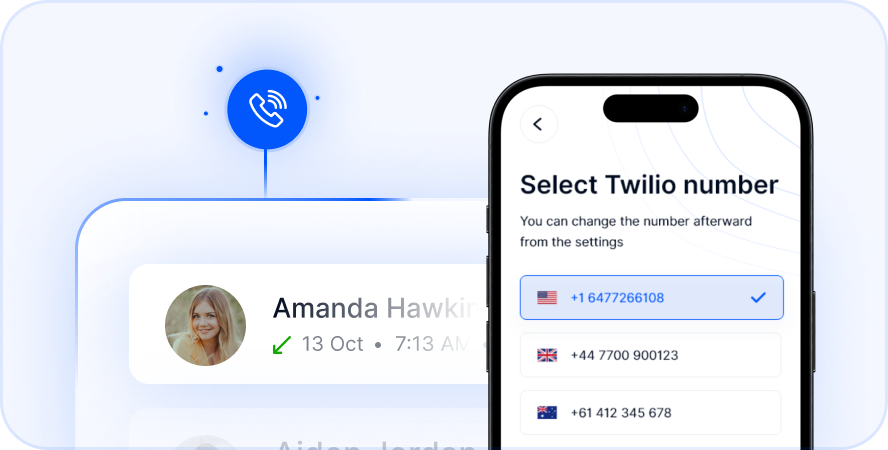
You can purchase a virtual Indonesian number through Telfon. This is a game-changer.
When you call from a virtual number, it looks local. Your friends or clients in Indonesia see a familiar code. They can call you back at local rates.
Features for Power Users
Telfon is packed with features that standard phones lack.
- Call Recording: Save important conversations for later review.
- SMS Capabilities: Send and receive text messages globally.
- WhatsApp Integration: Manage multiple WhatsApp accounts. This is crucial since Indonesians rely heavily on WhatsApp.
- Voicemail to Text: Read your messages when you cannot listen.
Business Benefits of Virtual Calling
Canadian businesses often work with Indonesian partners. Real estate, hiring agencies, and sales teams need constant contact. Telfon provides tools specifically for these needs.
Managing Remote Teams
Do you have staff in Indonesia? Telfon allows you to assign numbers to employees. You can monitor call history and analytics.
You can set budgets for each user. This prevents overspending on international calls. The dashboard gives you full control.
Sales and Support
Sales teams need reliable lines. Dropped calls lose money. Telfon ensures high-quality connections.
You can also use call forwarding. Never miss a lead because of time zones. Route calls to an available agent automatically.
Trust and Professionalism
A virtual number creates trust. Clients prefer answering local numbers over foreign ones.
With Telfon, you can generate a “call me” widget. Place this on your website. It allows Indonesian clients to reach you instantly.
Troubleshooting Common Issues
Even with the right numbers, calls sometimes fail. Here is how to fix common problems.
Blocked Numbers
Ensure the recipient has not blocked unknown international numbers. This is common in Indonesia due to spam calls. Calling from a virtual local number often solves this.
Network Restrictions
Some Canadian mobile plans block international dialing by default. This protects you from accidental charges. Contact your carrier to unlock this feature.
Insufficient Credits
If using a prepaid service or app, check your balance. International calls drain credits faster than local ones. Auto-recharge features can prevent mid-call disconnections.
Wrong Format
Did you forget to drop the zero? Double-check the number. This remains the most frequent error for new callers.
Summary of Key Steps
- Dial 011 (Landline) or + (Mobile) to exit Canada.
- Dial 62 for Indonesia.
- Drop the leading zero from the local number.
- Check the time (Jakarta is ~12 hours ahead).
- Consider VoIP apps like Telfon for cheaper rates.
Distance should not stop you from connecting. Whether for family chats or business deals, calling Indonesia is easy. You now have the knowledge to dial correctly.
By switching to a cloud telephony solution like Telfon, you gain more than just cheap rates. You gain flexibility, privacy, and professional tools. You can manage calls, texts, and WhatsApp from one platform.
Do not let high carrier fees limit your conversations. Download Telfon on the App Store or Google Play today. Experience the freedom of seamless international communication.
Start your trial today. Cut your international calling costs now.
Download Telfon and Start Your Free Trial
Frequently Asked Questions (FAQs)
Q: How do I call Indonesia from Canada for free?
A: You can use internet-based apps like WhatsApp if both parties are online. However, calling landlines or offline mobiles requires a paid service like Telfon for the best rates.
Q: What is the code for Bali?
A: The area code for Bali (Denpasar) is 361. Dial +62 361 followed by the local number when calling from a mobile.
Q: Can I keep my Canadian number when using Telfon?
A: Yes. Telfon provides new virtual numbers for calls. You can use the app alongside your regular SIM card without losing your existing number.
Q: Why does the call not connect even with the right code?
A: You likely included the leading zero in the area code. Remove the zero and try again. For example, dial +62 812… instead of +62 0812…
Q: Is it expensive to receive calls from Indonesia?
A: Receiving calls on a standard Canadian plan while roaming is pricey. However, receiving calls on a Telfon virtual number is typically much cheaper.
Q: Can I send SMS to Indonesia with Telfon?
A: Yes. Telfon supports sending and receiving SMS globally. You can also send bulk SMS for business marketing purposes.
Q: Does Telfon work for businesses?
A: Absolutely. Telfon offers advanced features like analytics, call recording, and budget management. It is ideal for sales teams and support agents.