






Connecting with loved ones, business partners, or colleagues in the Philippines from the USA often feels challenging. The vast distance requires reliable communication tools. This detailed guide simplifies the process. It ensures your calls connect smoothly and affordably. We will explore everything from basic dialing to advanced virtual number services.
The Philippines is a vibrant nation with a significant diaspora in the United States. Many people regularly call Philippines from USA. They connect with family, manage businesses, or plan trips. Understanding dialing procedures, optimal calling times, and cost-effective solutions is crucial. Let us help you bridge the geographical gap. Make your international calls to the Philippines effortlessly. For accurate time zone differences, always refer to reliable sources like Time and Date to plan your calls effectively.
Understanding the Basics: Dialing the Philippines
Before dialing, learn the fundamental elements of international calling. Every country has a unique code. Within countries, cities or regions often use area codes. Getting these numbers correct is the first step. It ensures successful communication. This section will guide you through the process.
Calling from a Landline Phone
Making a call to the Philippines from a US landline follows a specific sequence. You will need an exit code. Then add the country code, an area code, and finally the local number.
- Dial 011: This is the international exit code for calls from the United States. It tells your phone carrier you are making an international call.
- Dial 63: This is the Philippines country code. It directs your call to the correct country.
- Dial the Area Code: The Philippines uses various area codes. These codes identify cities or regions. You must know the specific area code for your desired location. For instance, Manila uses area code 2. Cebu uses area code 32.
- Dial the Local Phone Number: This is the unique 7-digit number for the person or business.
Example Landline Dialing:
To call a landline in Manila (area code 2) with the number 123-4567:
011 + 63 + 2 + 1234567
Calling from a Mobile Phone
Calling the Philippines from your mobile phone in the USA is simpler. Most modern smartphones allow using the “+” symbol. This replaces the international exit code.
- Dial + (or 011): Press and hold the “0” key on your smartphone. This produces the “+” symbol. It acts as the international exit code. You can also still use 011 if preferred.
- Dial 63: This is the Philippines country code.
- Dial the Area Code: Enter the specific area code for landlines. For mobile numbers, this step is slightly different.
- Dial the Local Phone Number: Input the 7-digit landline number. For Philippine mobile numbers, input the full 10-digit number.
Example Mobile Dialing:
To call a mobile phone in the Philippines with the number 917-123-4567:
+63 + 9171234567 (or 011 + 63 + 9171234567)
Philippines Country Code and Number Formats
The Philippines country code is always +63. It is essential for all international calls to the country. Beyond the country code, you need specific area codes for landlines. Mobile numbers use prefixes instead of traditional area codes. Knowing these formats prevents connection issues.
Landline Area Codes
Landline numbers in the Philippines start with an area code. This is followed by a 7-digit local number. Here are some common examples for key cities:
| City/Region | Area Code |
|---|---|
| Manila | 2 |
| Quezon City | 2 |
| Cebu City | 32 |
| Davao City | 82 |
| Bacolod City | 34 |
| Cagayan de Oro | 88 |
Mobile Phone Prefixes
Philippine mobile numbers do not use traditional area codes. Instead, they incorporate service provider prefixes. These prefixes are part of the 10-digit mobile number format. You will simply dial +63. Then add the complete 10-digit mobile number.
For example, a typical mobile number looks like +63 9XX XXX XXXX. The “9XX” part indicates the mobile network prefix (e.g., 917 for Globe, 920 for Smart). You do not separate this prefix as an “area code” when dialing. It is an integral part of the overall 10-digit mobile number.
Phone Number Format in the Philippines
Understanding the correct phone number format is crucial. It ensures your call connects successfully.
- Full International Format:
+63 (Area Code) (7-digit Local Number)
- Example:
+63 2 1234567(for Manila)
Mobile Phone Format:
- Full International Format:
+63 (10-digit Mobile Number, starting with 9)
- Example:
+63 9171234567
When dialing the Philippines from the USA, always confirm the full, correct number. This includes the country code, area code (for landlines), or the complete 10-digit mobile number. A missing digit or incorrect code can prevent your call from connecting. Double-check your numbers before dialing.
Select Number
Timing and Cost Considerations for Your Calls
Connecting successfully involves more than just dialing correctly. Considering time differences and potential costs enhances your calling experience. Plan your calls wisely. Avoid inconvenient times. Manage your expenses effectively.
Best Time for Calling the Philippines
The Philippines operates on Philippine Standard Time (PST), which is UTC+8. The USA spans multiple time zones. Therefore, careful planning is essential. Avoid waking someone in the middle of their night.
Here is a general guide for calling from different US time zones:
| US Time Zone | Time Difference to PST | Best Time to Call (USA) | Equivalent PST (Philippines) |
|---|---|---|---|
| Eastern Time (ET) | 12 hours ahead | 8:00 PM – 12:00 AM | 8:00 AM – 12:00 PM |
| Central Time (CT) | 13 hours ahead | 7:00 PM – 11:00 PM | 8:00 AM – 12:00 PM |
| Mountain Time (MT) | 14 hours ahead | 6:00 PM – 10:00 PM | 8:00 AM – 12:00 PM |
| Pacific Time (PT) | 15 hours ahead | 5:00 PM – 9:00 PM | 8:00 AM – 12:00 PM |
Key Takeaway: Aim for calls during the Philippines’ morning (8 AM – 12 PM PST) or early afternoon. This usually translates to late evening or night in the US. The exact time depends on your specific time zone. Always double-check for Daylight Saving Time changes in the US. These can shift the difference by one hour.
Cost of Calling the Philippines
The cost of international calls to Philippines varies significantly. It depends on your chosen calling method. Understanding these differences helps you select the most economical option.
- Traditional Landline/Mobile Carriers: Major carriers like AT&T, Verizon, and T-Mobile often charge high per-minute rates. This is especially true without an international calling plan. Rates can range from $0.50 to $3.00+ per minute. Long conversations become very expensive quickly.
- Calling Cards: International calling cards offer discounted rates. However, they frequently come with hidden fees. These include connection charges or quick expiration. Call quality can also be inconsistent.
- Voice over IP (VoIP) Services/Apps: Modern solutions excel here. VoIP services, including dedicated apps, use the internet for calls. This drastically reduces costs. Many offer unlimited calling plans. Others have very low per-minute rates to the Philippines. These often cost just a few cents per minute.
What is the cheapest way to call the Philippines from the USA?
Generally, using a Voice over IP (VoIP) service or an app designed for international calls is the most cost-effective solution. These services leverage internet connectivity. They bypass traditional high-cost phone networks. Some even offer free app-to-app calls.
How Telfon Enhances Your Calls to the Philippines
When seeking efficient and affordable international calls to Philippines, Telfon stands out. Telfon is a virtual phone calling app. It leverages cloud telephony for a seamless communication experience. This applies to both individuals and businesses. Telfon removes the complexities and high costs of traditional international dialing. It offers a superior alternative.
Simplified Dialing and Significant Cost Savings
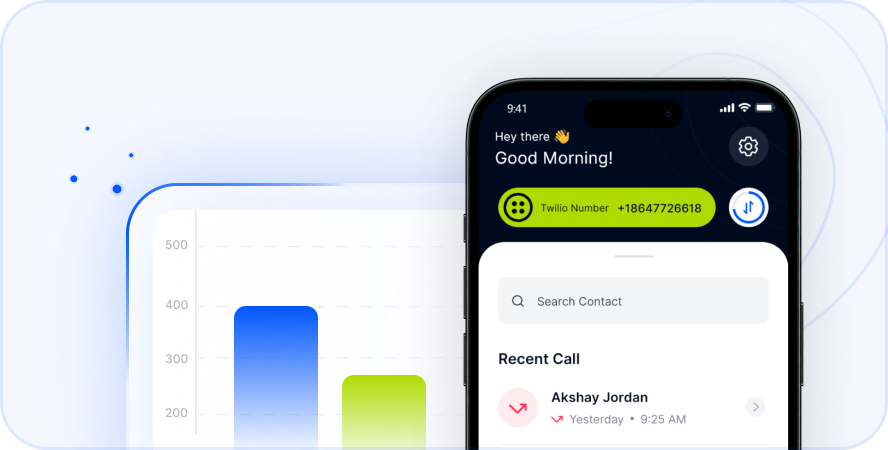
Telfon streamlines the process of dialing the Philippines from the USA. You do not need to remember complex exit codes. You also avoid exorbitant per-minute rates. The app is user-friendly. It allows direct dialing, much like a local call. This happens after setting up your account.
- Low-Cost Calling: Telfon offers highly competitive rates. These apply to calls to over 180+ countries, including the Philippines. You can have longer, more meaningful conversations. There is no constant worry about the clock or your bill.
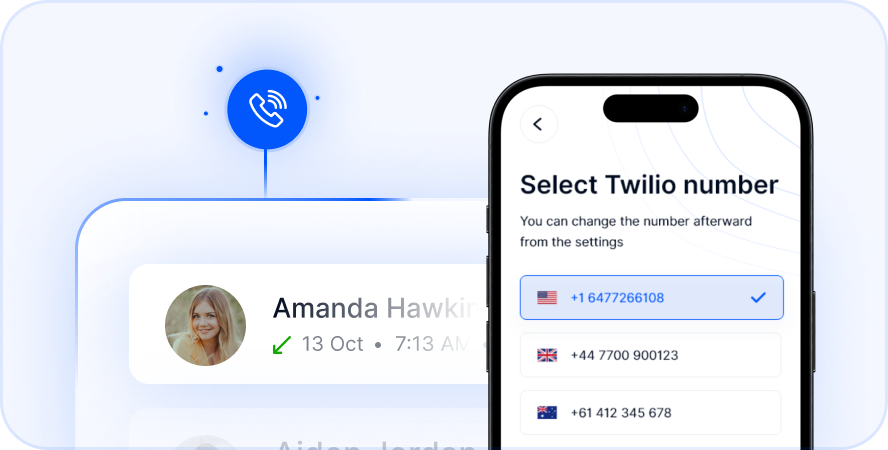
- Virtual Number Philippines: Telfon enables you to purchase a virtual number Philippines. This is a local Philippine phone number. It rings to your Telfon app in the USA. This feature is incredibly useful. Family members in the Philippines can call you without incurring international charges. Businesses also gain a local presence. This makes it easier for Filipino clients or partners to reach them.
- No Hidden Fees: Telfon provides transparent pricing. You always know exactly what you are paying for.
Comprehensive Features for Every User
Telfon offers a suite of features. These go beyond just calling. They enhance your entire communication strategy.
- International Calls: Make and receive high-quality calls globally.
- Purchase Virtual Numbers: Get local numbers for various countries, including the Philippines.
- 20+ Language Support: The app caters to a diverse user base.
- Call Recordings: Essential for business, training, or recalling conversation details.
- Send & Receive SMS: Text messaging functionality is integrated into the app.
- WhatsApp Integration: Manage multiple WhatsApp accounts. This eases connection through a popular channel in the Philippines.
- Multi-Country Numbers Simultaneously: Ideal for businesses or individuals with global connections.
- Voicemail & Voicemail to Text: Never miss a message. Read voicemails conveniently.
- Call Forwarding: Redirect calls to another number if you are unavailable.
- Bulk SMS: Perfect for marketing campaigns or important announcements.
Advanced Business Features
Telfon offers robust features for business users. These enhance team communication and client engagement.
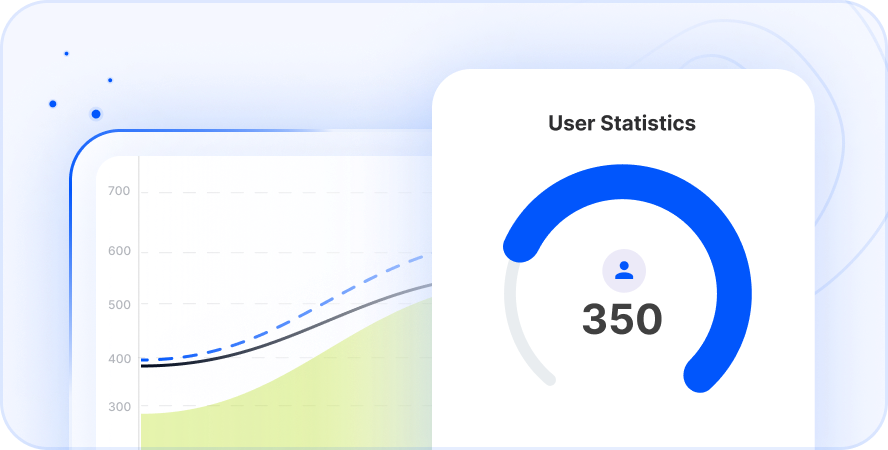
- User Analytics: Gain insights with cards, graphs, and charts.
- Dashboard Filters: Easily sort and analyze call data.
- User Management: Control access and permissions for your team.
- Phone Number Management & Analytics: Oversee all your virtual numbers. Track their performance.
- Alerts & Custom Messaging Service: Stay informed and tailor communications.
- Assign Budget to User: Manage spending for individual team members.
Telfon is a B2B and B2C online communicator. It helps you communicate globally with ease. With over 30K users and 600+ companies worldwide, Telfon provides a reliable virtual phone system. You can save up to 50% compared to other providers. Telfon is available on Google Play, App Store, and Chrome Web Store.
Why People Call the Philippines from the USA
People call Philippines from USA for many reasons. These span from personal connections to professional endeavors. The motivations reflect the strong ties between the two nations. Having a reliable method for international calls to Philippines is invaluable.
Personal Connections
- Family and Friends: This is the most common reason. Many Filipinos reside in the USA. Regular calls are vital for strong family bonds. They help celebrate milestones and share daily life updates.
- Keeping Up with Local News: Staying informed about happenings back home. This includes community events and current affairs.
- Emotional Support: Providing comfort or support to loved ones during challenging times. Sometimes it is simply sharing a laugh.
Business and Professional Needs
- Remote Workforces: Many US companies employ remote staff or freelancers in the Philippines. Regular calls are essential for team collaboration. They aid in project management and daily operations.
- Client Communication: Consistent communication is critical for businesses with Filipino clients. This supports sales, customer care, and relationship management.
- Supplier and Partner Relations: Discussing logistics, orders, and business strategies. This applies to partners based in the Philippines.
- Market Expansion: Exploring business opportunities. Conducting market research. Establishing new ventures in the Philippine market.
Travel and Tourism
- Trip Planning: Coordinating travel plans. Booking accommodations. Arranging activities with local contacts.
- Emergency Contact: Having a reliable way to communicate. This is important in case of unforeseen circumstances while traveling.
- Connecting with Tour Operators: Discussing itineraries and making reservations. This happens directly with local tour agencies.
No matter your reason, Telfon addresses these needs directly. It ensures your connections remain strong and clear.
Getting Started with Telfon
Ready to simplify your international calling? Getting started with Telfon is a straightforward process. It is designed for quick setup. You can be making calls in minutes.
Step-by-Step Guide
- Download the App: Find the Telfon app on your preferred app store. It is available on iOS or Android.
- Create an Account: Sign up using your details. The process is quick and user-friendly.
- Add Credit or Choose a Plan: Select a calling plan. Alternatively, add credit to your account. This depends on your calling needs to the Philippines or other countries.
- Purchase a Virtual Number (Optional but Recommended): If you desire a virtual number Philippines for inbound calls or a local presence, navigate to the virtual number section. Choose your desired Philippine number there.
- Start Calling: Dial numbers directly from the app. It functions just like a local call. Enjoy clear, affordable international communication.
Telfon’s intuitive interface makes managing your calls, messages, and virtual numbers easy. The app suits both seasoned business users and individuals. Even those making their first international call will find it simple.
Download Telfon & Start Calling the Philippines Today
Frequently Asked Questions (FAQs)
Here are common questions about calling the Philippines from the USA. These also cover using services like Telfon.
Q1: What is the exit code for calling the Philippines from the USA?
A1: The exit code from the USA is 011. On mobile phones, you can often use the “+” symbol instead.
Q2: What is the country code for the Philippines?
A2: The country code for the Philippines is +63. This must always precede the local number.
Q3: Do I need an area code for Philippine mobile numbers?
A3: No, you do not need a separate area code for Philippine mobile numbers. Just dial +63 followed by the 10-digit mobile number. This includes a 3-digit prefix like 917 or 920.
Q4: How can I reduce the cost of international calls to the Philippines?
A4: The most effective way is using VoIP services or dedicated international calling apps. Telfon offers significantly lower per-minute rates or unlimited calling plans. These are far cheaper than traditional carriers.
Q5: What is a “virtual number Philippines” and how does it work?
A5: A virtual number Philippines is a local Philippine phone number. You can purchase it through a service like Telfon. When someone in the Philippines calls this number, it rings directly to your Telfon app in the USA. This appears as a local call for them. It saves the caller international charges. It also gives you a local presence.
Q6: Can I send text messages to the Philippines from the USA?
A6: Yes, many international calling apps, including Telfon, offer SMS functionality. This allows you to send and receive text messages to and from Philippine numbers.
Q7: Is call quality good when using VoIP services for international calls?
A7: Call quality on VoIP services largely depends on your internet connection. With stable, high-speed internet, VoIP services like Telfon offer excellent clarity. This is often comparable to or better than traditional phone lines.
Q8: Can I record calls with Telfon?
A8: Yes, Telfon offers call recording as one of its features. This is particularly useful for business purposes. It also helps keep records of important conversations.
Q9: What if my call doesn’t go through to the Philippines?
A9: First, check your dialing sequence carefully. Ensure you have enough credit or an active plan. A temporary network issue might also be the cause. Try again after a few minutes. If using an app, check your internet connection.
Q10: Can Telfon handle business communication needs for calling the Philippines?
A10: Absolutely. Telfon offers specific B2B features. These include user analytics, dashboard filters, user management, custom messaging, and bulk SMS. These make it ideal for businesses with teams or clients in the Philippines.